
У Вас переполнен буфер в плате LD. Вы пробовали чистить его? В последних версиях Долби (начиная с 4.7.0) предусмотрен определенный скрипт.
Надо зайти под администратором в консоль:
При полностью загрузившемся сервере (и проекторе, естественно) нажать Ctrl+Alt+F1
Ввести логин: administrator пароль: dolby
Далее в командной строке ввести следующие команды:
[hostname]:~$ cd scripts
[hostname]:~/scripts$ ./getAllProjectorLogs.sh localhost
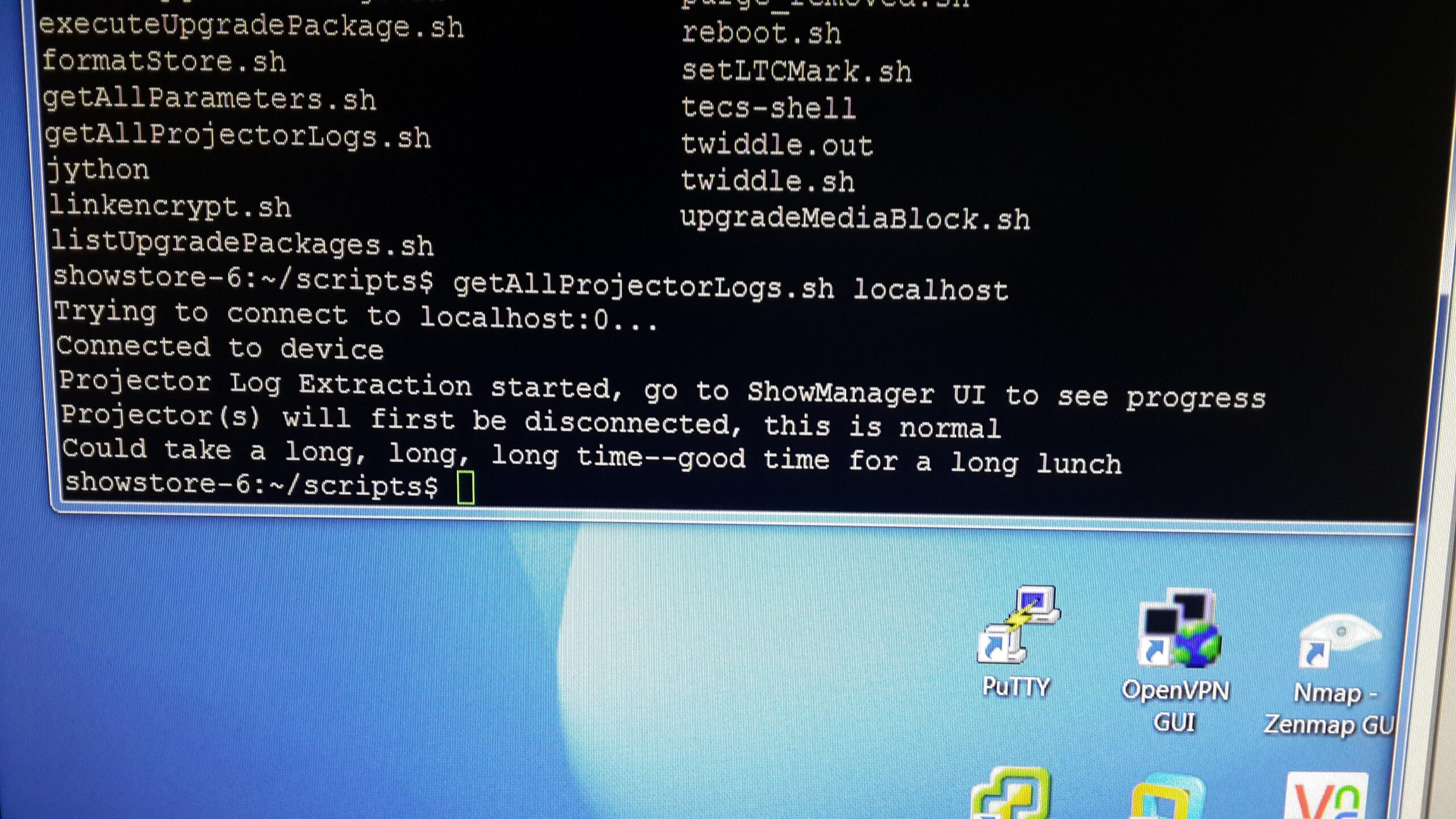
затем нажать ctrl+alt+F8 и перейдёте обратно в графический интерфейс где можно наблюдать прогресс очистки
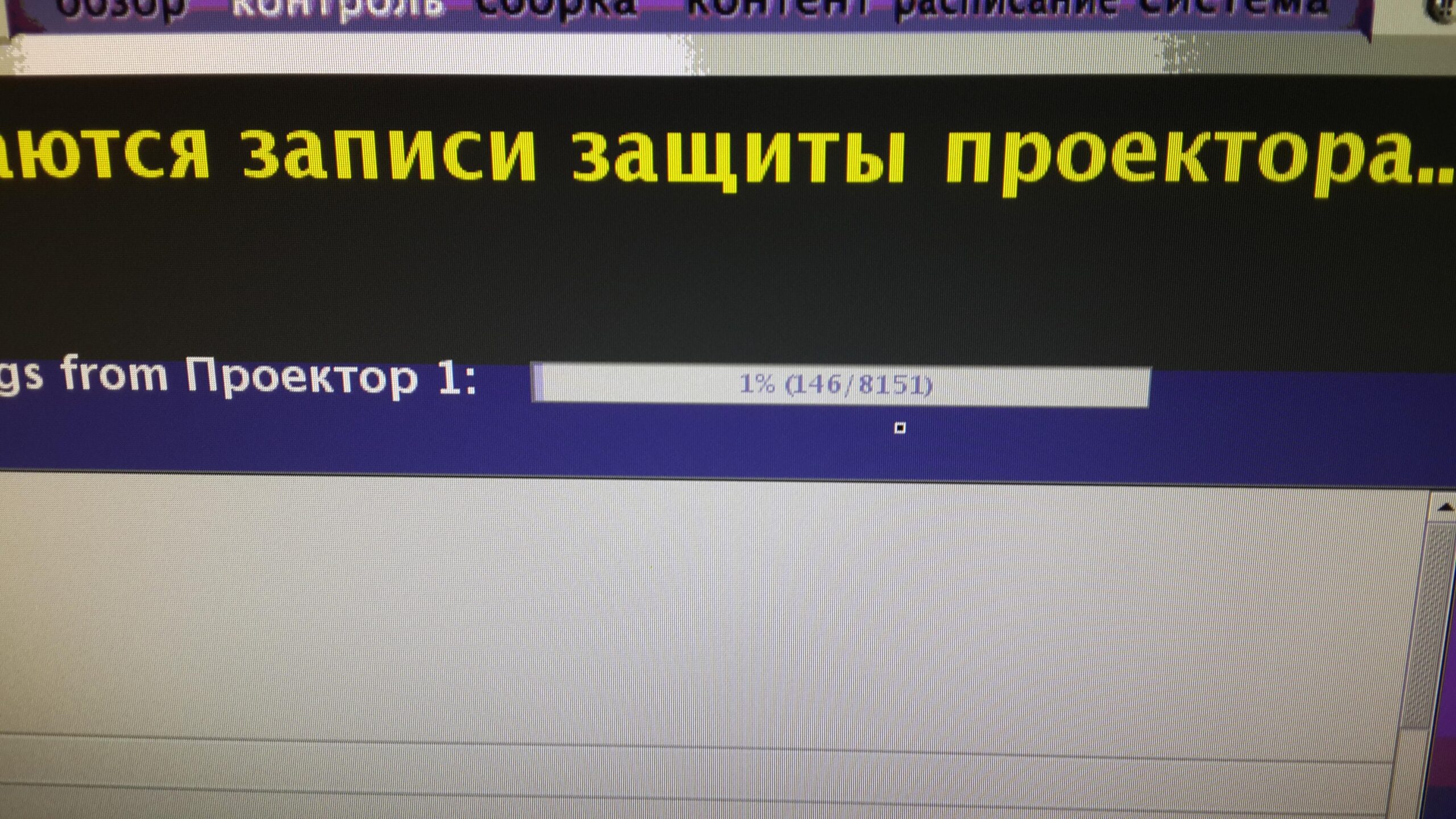
Запустить команду один раз, дождаться ее окончания, не прерывать! Очистка может занять до двух часов.
Дополнительную информацию можно найти в описании к релизу 4.7.0 ( см. пункт Clearing Series 2 Link Decryptor Log Events) см. во вложении
Clearing Series 2 Link Decryptor Log Events
In projectors using HD-SDI inputs with TI Series 2 Enigma Link Decryptor boards, the link decryptor’s logging system may become full due to problems with uncollected event records. If this occurs, the link decryptor will go into the security alert status and prevent further playback.
If this problem occurs, the server can be commanded to collect all link decryptor security event logs via a command-line script.
To invoke this process, log in to the DSS system via the administrator login and issue the following commands:
[hostname]:~$ cd scripts
[hostname]:~/scripts$ ./getAllProjectorLogs.sh localhost
This process may take more than 2 hours, so this mechanism should only be invoked on systems known to be in the alert status.
It is best to not interrupt the process or invoke other operations on the system while it is running. Once started, the logs collection process cannot be cancelled.
NOTE: The script only needs to be run once to collect all logs from the Link Decryptor. If the logs collection process completes but the Link Decryptor security alert is not cleared, there may be other problems with the Link Decryptor that the server cannot correct.